

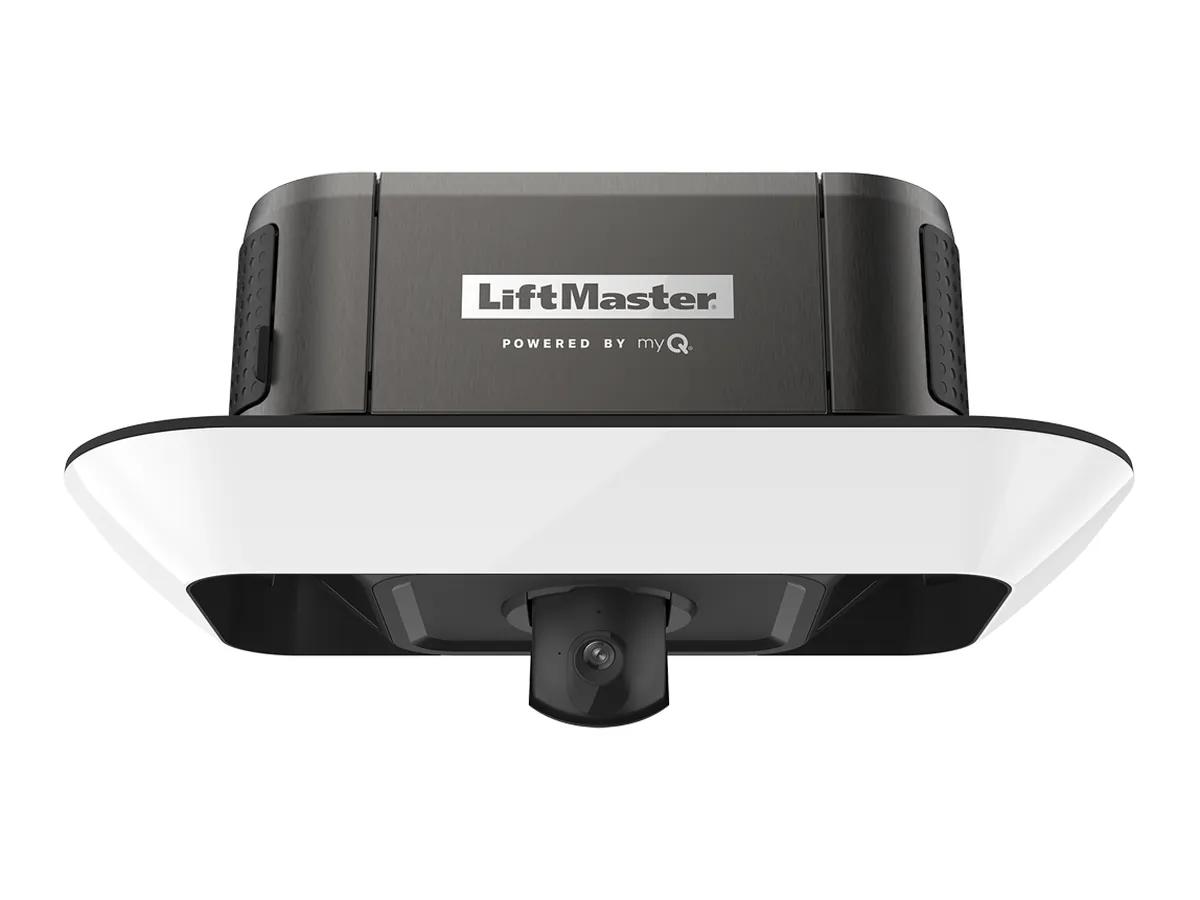
Short answer. Most LiftMaster 87504-267 troubleshooting starts with the UP and DOWN arrows on the motor unit. They blink a two part code. It points you at the sensor side or the parts inside the motor unit. The camera and the battery each have their own status LED. Unplug the opener before you touch anything inside it.
What you are working on
LiftMaster 87504-267 troubleshooting is easier once you know what is in the box. The owner manual (114-5898-000) covers it alongside the 87802, 84504R and 84505R. It is a belt drive on a one piece T-rail with a 12V DC motor and a 485LM battery. Wi-Fi is built in, and the camera sits in the badge on the light ring. The light ring is the 2,000 lumen Corner to Corner LED.
That shared manual matters. A lot of what follows applies to the 87802 chain drive as well, because the head unit and the code chart come from the same family.
Read the flash code first
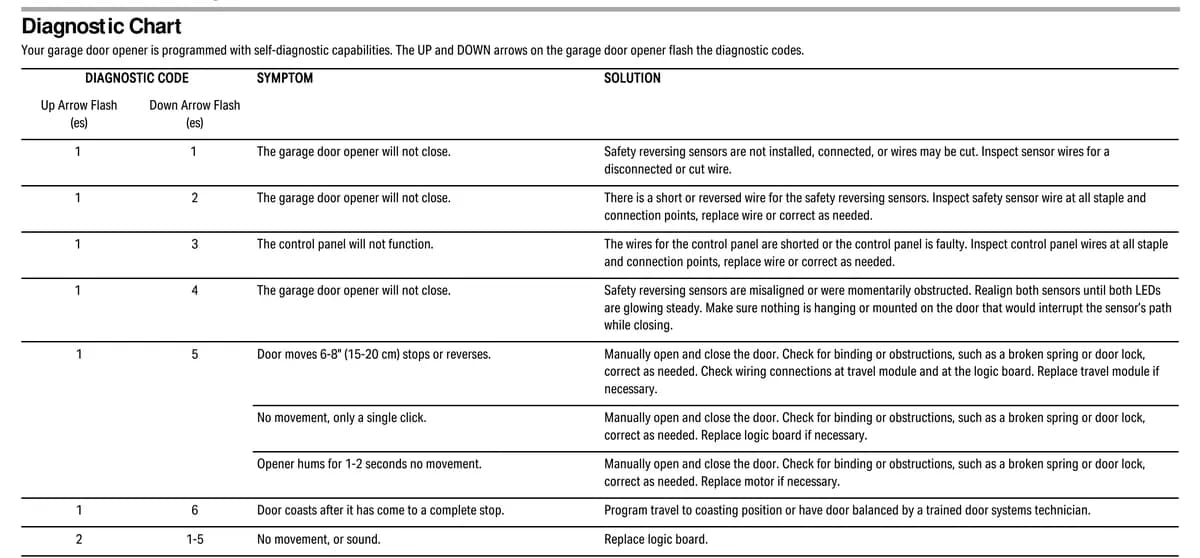
When something is wrong the UP and DOWN arrow buttons on the opener flash. Count the UP flashes, then the DOWN flashes. If you have the 880LMW Smart Control Panel that came in the box, its screen will also show the code.
| Up | Down | What the manual says |
|---|---|---|
| 1 | 1 | Sensors not installed or connected, or a wire is cut |
| 1 | 2 | Short or reversed sensor wire |
| 1 | 3 | Control panel wires shorted or the panel is faulty |
| 1 | 4 | Sensors misaligned or briefly blocked |
| 1 | 5 | Door moves 6 to 8 inches then stops, single click, or a 1 to 2 second hum |
| 1 | 6 | Door coasts after it stops |
| 2 | 1 to 5 | No movement or sound, replace logic board |
| 3 | 2 | Cannot set or hold travel, check the travel module |
| 3 | 3 | Battery LED flashing green nonstop, charging circuit fault on the board |
| 4 | 1 to 4 | Door stops or reverses while moving, opener beeps and lights flash |
| 4 | 5 | Runs 6 to 8 inches and reverses, travel module communication error |
| 4 | 6 | Will not close, sensors misaligned or briefly blocked |
The full list with every fix is on our LiftMaster error codes guide.
LiftMaster 87504-267 troubleshooting, the three faults we see most
First is the 1 and 4 code, sensors out of line. A bumped photo eye or a cobweb across the lens will do it. The door opens fine and refuses to close from the remote. If the green receiving eye faces low winter sun, the manual says to swap the two eyes so the receiver sits on the shaded side.
Second is the 4 and 1 to 4 code, where the door stops or reverses partway and the opener beeps. The manual sends you to the door first. Pull the release, lift the door by hand and see if it binds. A broken spring shows up here a lot. Springs and cables are a job for a technician. Stop there and call.
Third is the 3 and 3 code. A battery LED that flashes green and never settles means the charging circuit on the logic board has failed. That one is a board, not a battery.
Camera status LED on the 87504-267
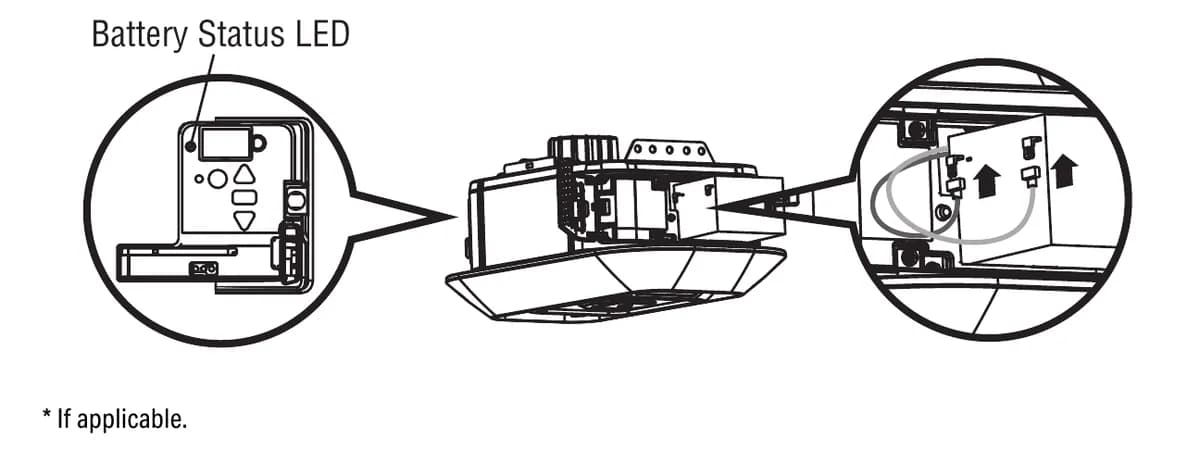
The camera has its own light, separate from the opener codes. Solid green is normal. Flashing blue and green means it is trying to reach your router. Flashing green means it reached the router and is waiting on the myQ server. Flashing red means it is overheating, and flashing purple means a firmware update is running, so leave it alone.
If the camera will not connect, the manual suggests moving the router closer or adding a Wi-Fi extender. As a last step, hold the reset button on the camera for 10 seconds and set it up again in the myQ app. To clear the camera settings from the opener, hold the black adjustment button until you hear 3 beeps, about 6 seconds. You will then have to set up both the opener and the camera again.
Battery behaviour that is normal
On battery the opener runs slower and beeps about every 2 seconds. The lights stay off. The camera goes off until the power comes back. So do Timer-to-Close and remote close. None of that is a fault. A solid red battery LED with a beep is the one that means buy a new 485LM. The manual gives a fully charged battery up to 24 hours of normal use and says it lasts roughly 1 to 2 years. More on that in our 485LM battery backup guide.
When the travel needs redoing
Codes 3 and 2 or 4 and 5 point at the travel module, the part that counts motor turns. If the module checks out, reprogramming the travel often clears a door that stops short. Hold the adjustment button until the UP arrow flashes and run the door up. Press adjustment. Run it down and press adjustment again. The opener then does its own force setup and beeps three times when it is happy. One long beep means start over. Our travel limits and force guide walks the whole thing.
Parts we carry for it
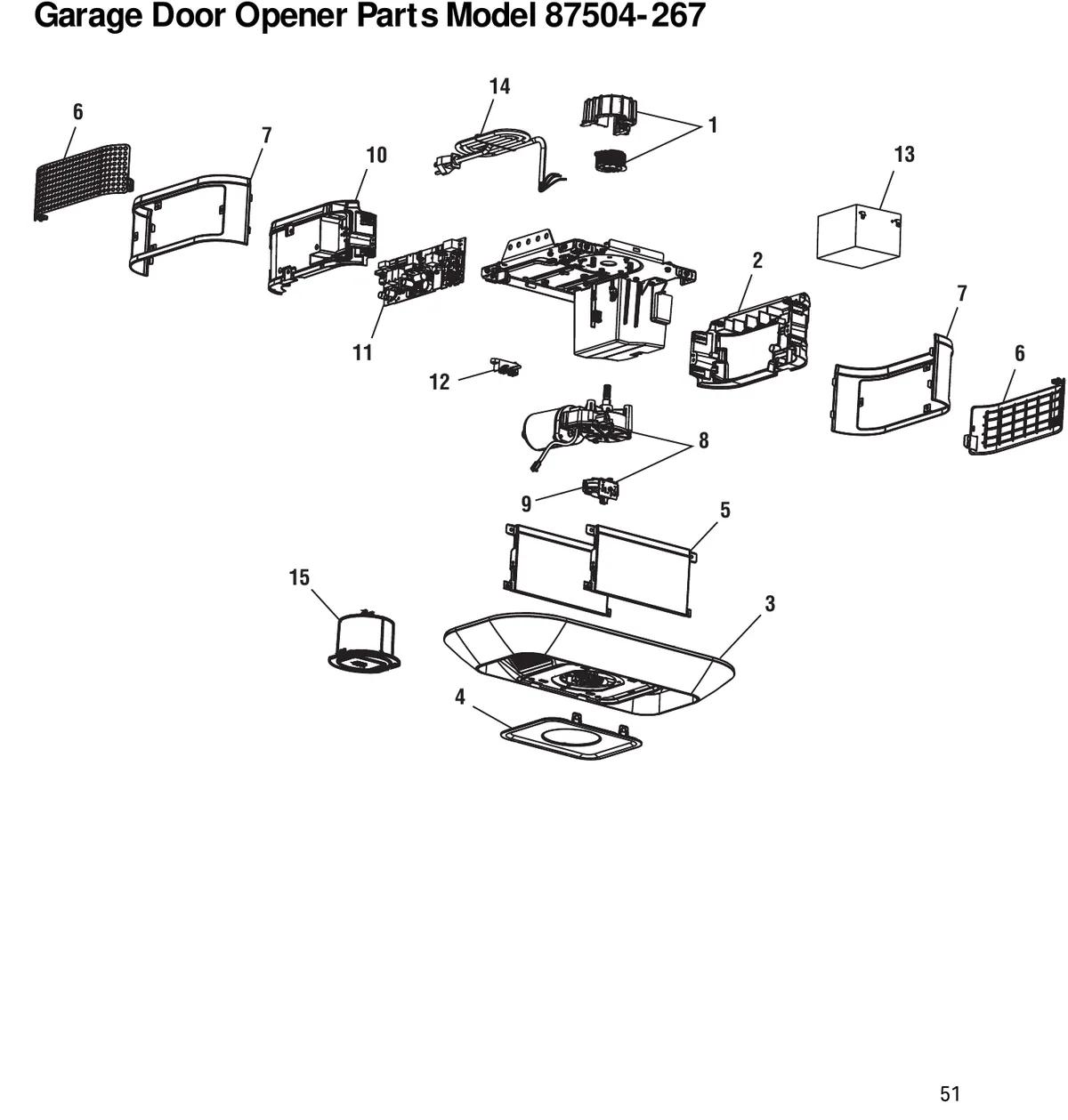
From the parts pages of the manual, the ones that fail are the logic board (050DCTBFMC), the travel module (041D8071-4), the motor with travel module (041-0236-000) and the camera (041-0347-000). Belts come in three lengths by door height. The sensor kit is 041-0136. As an authorized LiftMaster dealer we order the right part number for your unit, not a lookalike.
Our honest take after a lot of service calls is that a dead camera is not a reason to replace this opener. Fix the camera or ignore it, the door still runs.
Book a visit
We are at 12180 Horseshoe Way, Unit 3 in Richmond and pick up the phone 24/7 at (778) 873-7282. The on-site assessment is free. A surcharge may apply depending on the area, and we quote it before we come out. For the model overview see our 87504-267 repair and install page.