

Short answer. LiftMaster travel limits on current openers are set with the adjustment button and the UP and DOWN arrows on the motor unit. You set the up spot and the down spot. The opener then runs its own force setup and beeps three times. One long beep means start over. Then test with a 2x4 laid flat. It must reverse.
How LiftMaster travel limits work now
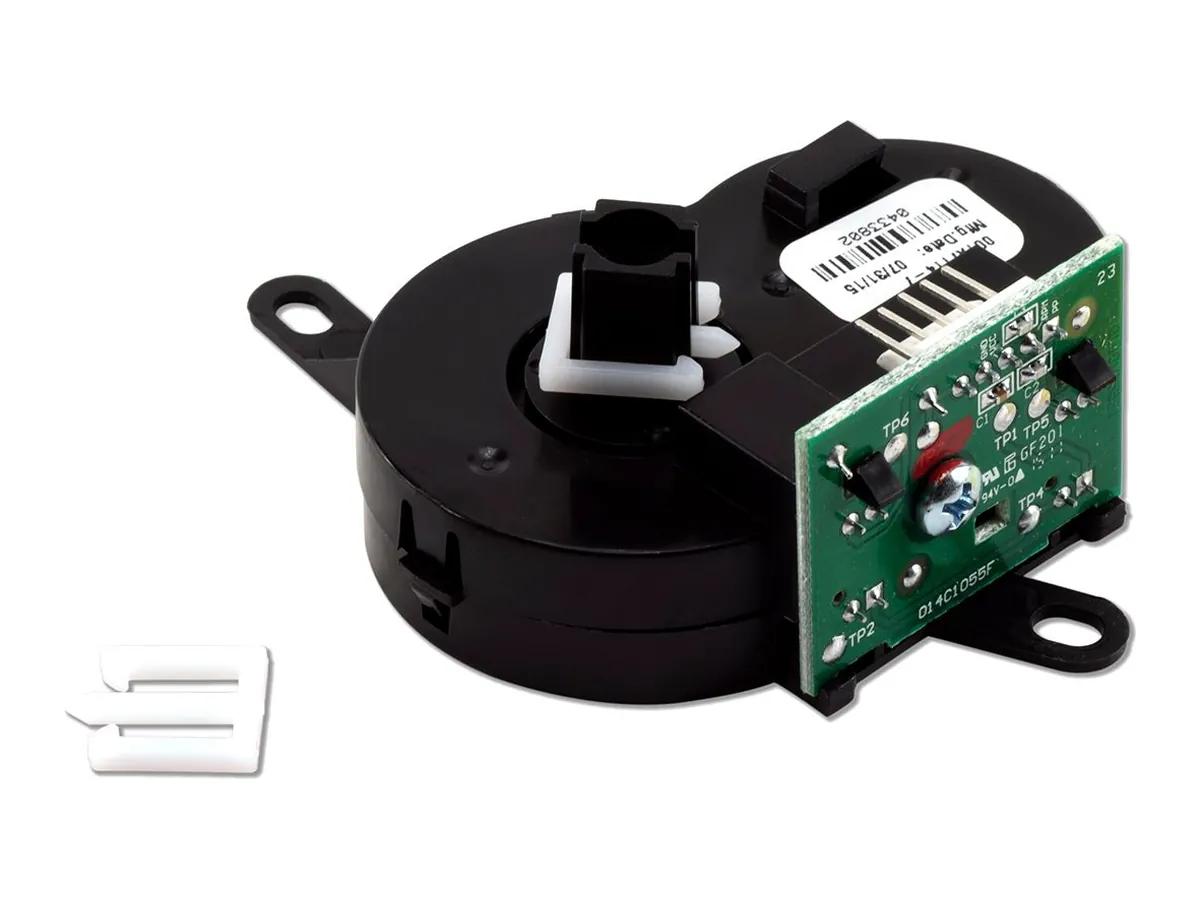
On the 87504-267, 87802 and 8365W-267, LiftMaster travel limits are electronic. A travel module on the motor counts turns, part 041D8071-4 on the two DC ceiling units. You set the points with buttons. There is no separate force adjustment. The opener sets force itself in a step the manual calls Automatic Force Setup, and adjusts for weather as it goes.
Ceiling openers, step by step
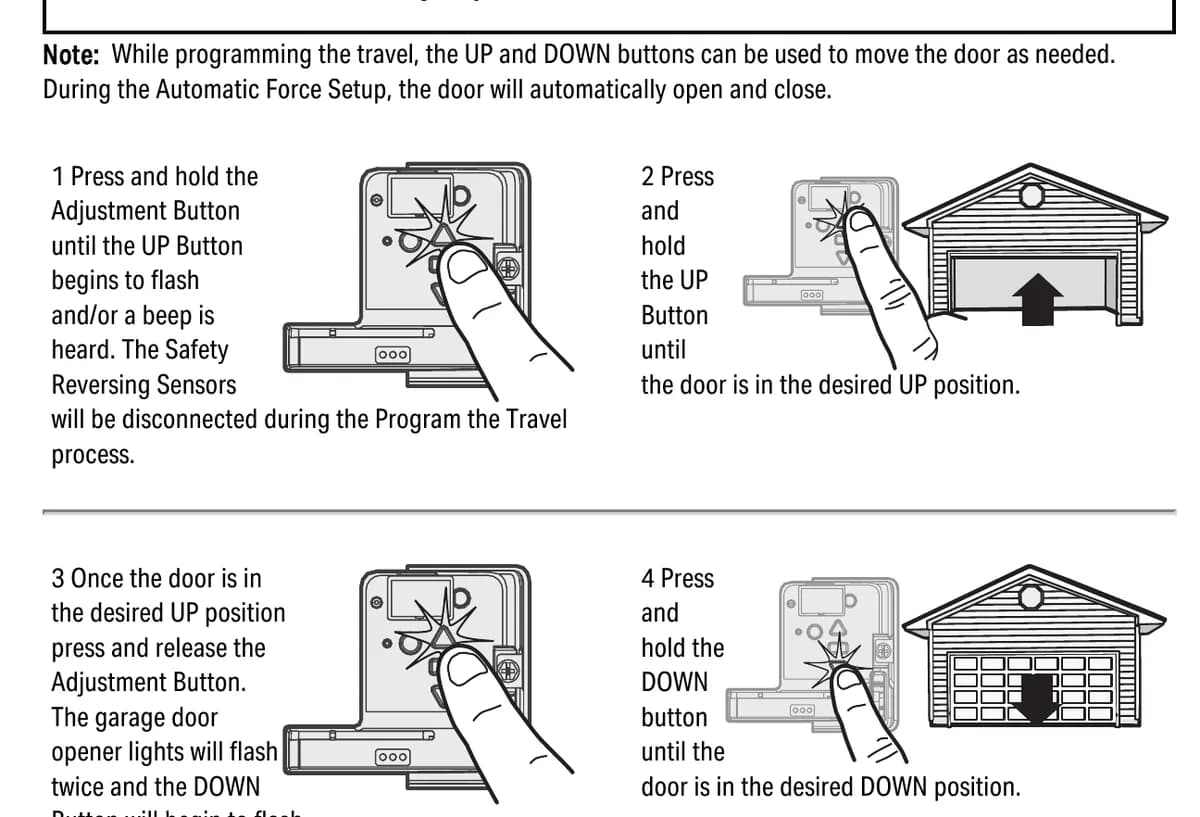
- Press and hold the adjustment button until the UP arrow flashes or you hear a beep. The safety sensors are switched off during this step.
- Press and hold UP until the door is where you want it open.
- Press and release the adjustment button. The lights flash twice and the DOWN arrow starts flashing.
- Press and hold DOWN until the door is where you want it closed.
- Press and release the adjustment button. The lights flash twice. Travel is set.
The opener then reconnects the sensors and warns with lights and a beep. It runs the door open and closed by itself to learn force. Three beeps means it worked. One long beep means it did not, go back to step 1. Five flashes during setup means it timed out.
The 98032 is different
The wall mount 98032 needs its Door Profile set first, which tells it the drum size. Then you only set the open position. Hold UP to where you want the door open and press adjustment. The opener closes on its own and finds the floor. It opens a bit and closes again to refine the down spot, then runs the force setup.
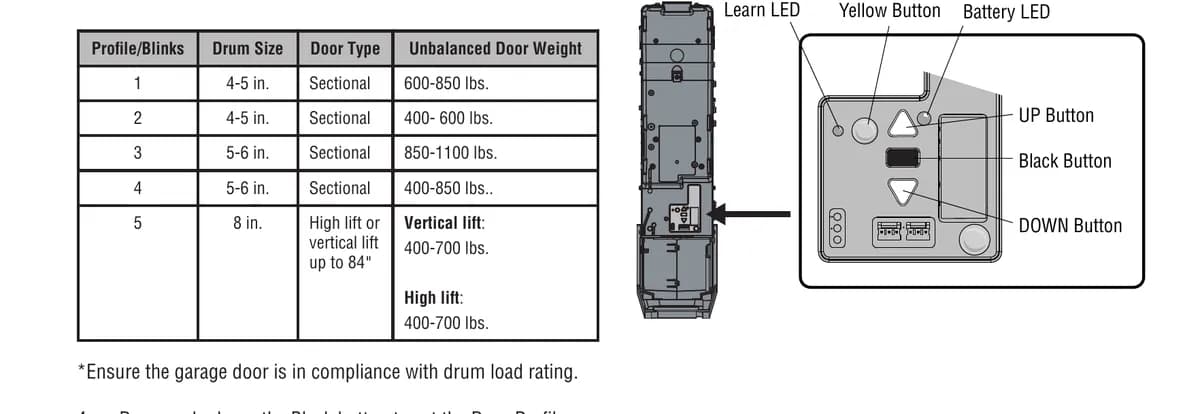
Change the profile and you must reprogram the limits. If the 98032 keeps losing its limits, the manual blames a loose collar on the torsion bar before anything else.
Signs the limits are wrong
If the door stops a few inches off the floor and goes back up, or the opener flashes its lights twice when you press the remote, the setup was not finished. The manual says the remote and wall control will not work until it is, and the lights flash twice instead. A door that coasts after stopping shows a 1 and 6 code. The fix is to set the travel at the point where it coasts, or get the door balanced.
Never set the down limit to crush the bottom seal into the floor to stop a draft. It fights the safety system and wears the opener.
The 2x4 test, every time
LiftMaster says test the safety reversal system after any adjustment and every month. Open the door. Lay a 1 1/2 inch board, or a 2x4 flat, on the floor under the middle of the door. Close it with the remote. It must reverse when it touches the board. If it stops without reversing, redo the travel. Then test again. If it still fails, call a trained technician.
Then block the photo eye beam with the door open and press the remote. The door should not move more than an inch.
Plain truth from us. If the opener cannot finish its force setup, the door is usually the problem. A door with a tired spring makes the opener think it is hitting something, so fix the door, then the limits.
Book it
Call (778) 873-7282 any time. Free on-site assessment from our Richmond shop at 12180 Horseshoe Way, Unit 3. A surcharge may apply depending on the area, quoted before we come. Related reading is in the error code chart and on the opener repair page.