

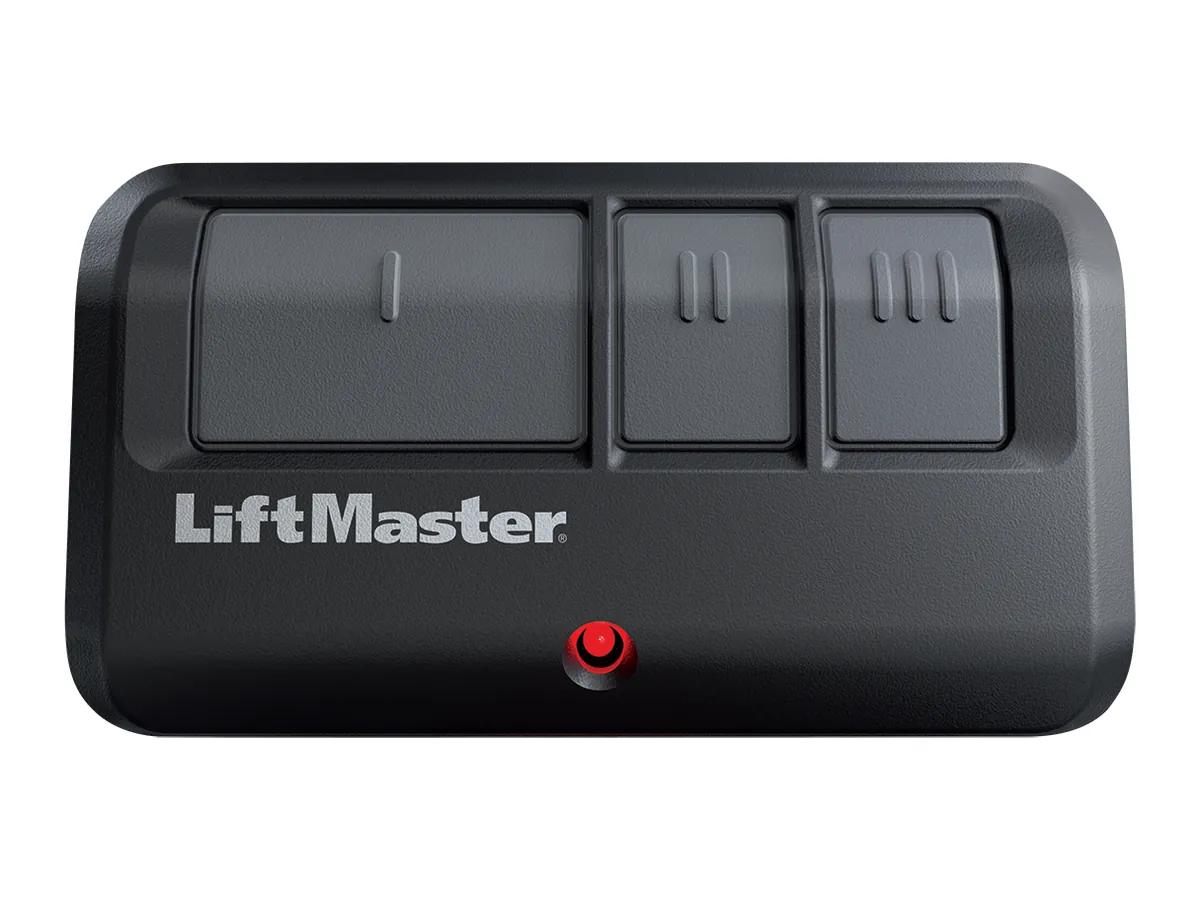
Short answer. To program a LiftMaster remote, press and release the learn button on the opener, then hold the remote button until the opener lights blink or you hear two clicks. Check the learn button colour first. Yellow means Security+ 2.0. Purple is 315 MHz. Red or orange buttons run 390 MHz, and so do green ones. The 893MAX and 878MAX cover all of them back to 1993.
Find the learn button and its colour
Before you program a LiftMaster remote, get on a ladder and look at the back or side of the motor unit. There is a square learn button with a small LED beside it. Its colour tells you the radio system. LiftMaster's accessory chart lays it out by year.
| Openers made | Learn button | Frequency | Code system |
|---|---|---|---|
| 1993 to 1995 | Green | 390 MHz | Billion Code |
| 1996 to 2005 | Red or orange | 390 MHz | Security+ |
| 2006 to 2014 | Purple | 315 MHz | Security+ |
| 2011 on | Yellow | 310, 315 and 390 MHz | Security+ 2.0 |
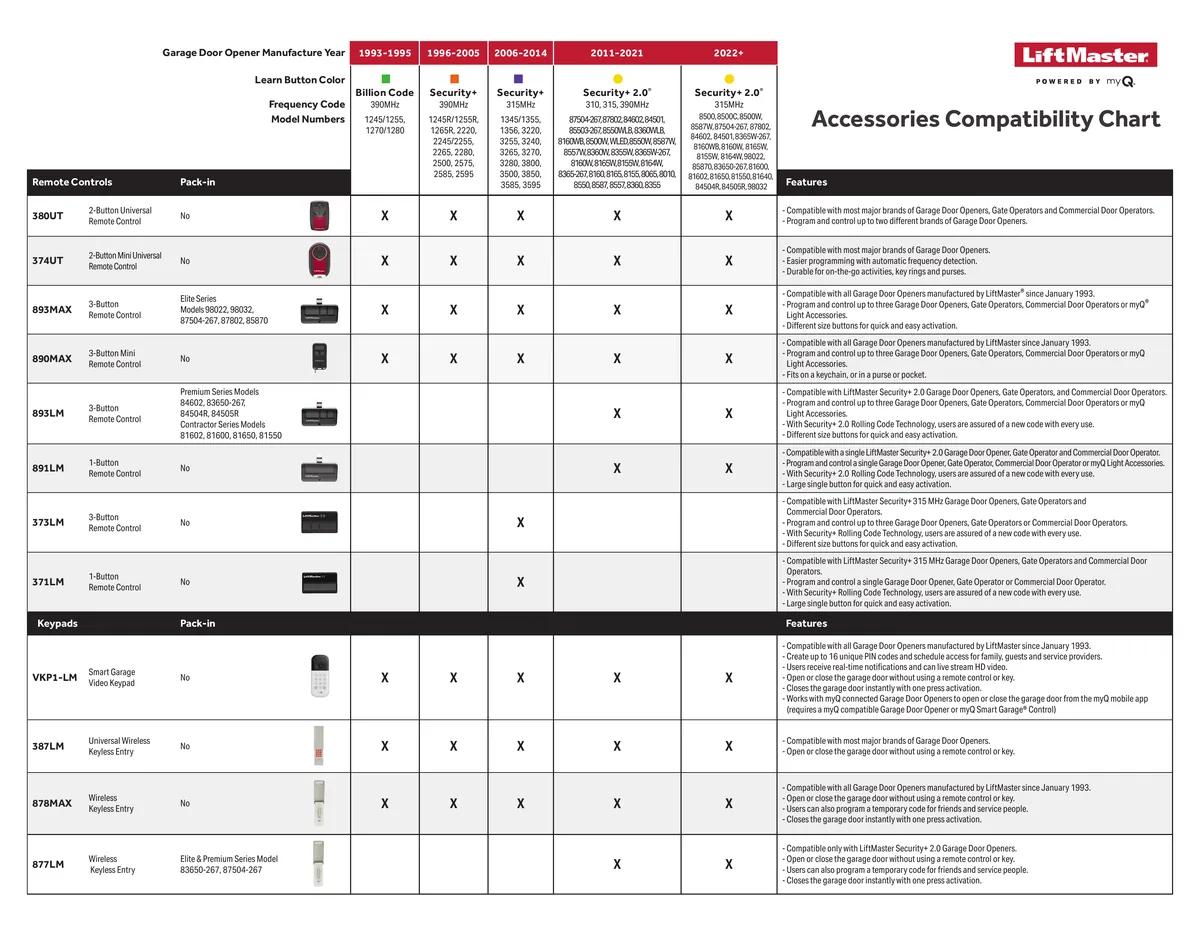
Every opener in this guide set, the 87504-267, 87802, 98032, 98022 and 8365W-267, has the yellow button.
Program a LiftMaster remote with the learn button
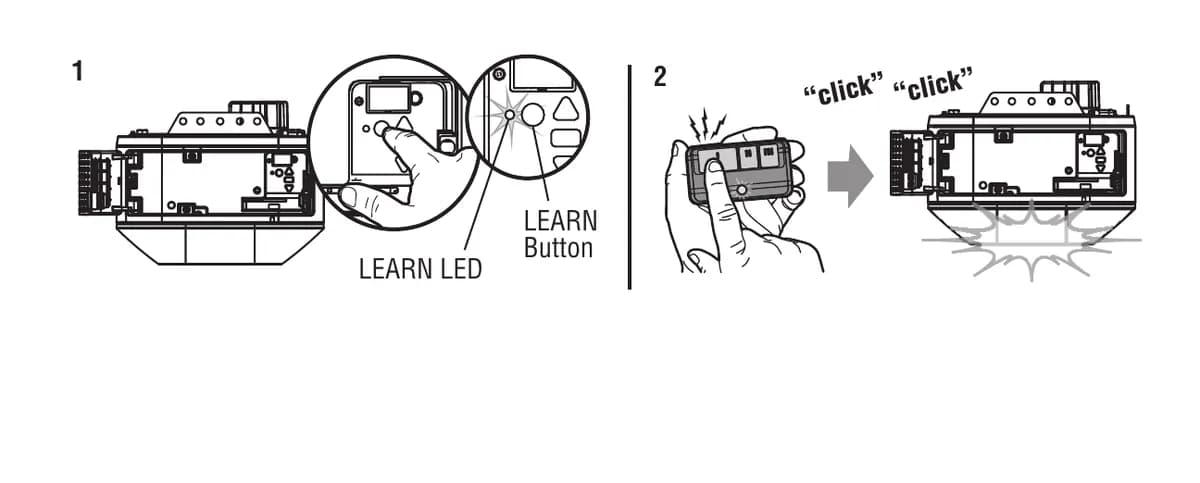
This is the one that works when nothing else does. Press and release the learn button on the opener. The learn LED lights. Then press and hold the button on the remote you want to use. Let go when the opener lights blink or you hear two clicks. Test it.
On openers with the 880LMW Smart Control Panel you can skip the ladder. Press the button under MENU, scroll to PROGRAM, pick REMOTE, then press the remote button. If that fails, the manual says fall back to the learn button.
Programming the 878MAX keypad
The 878MAX comes set for a yellow learn button. For yellow, press learn on the opener, type a 4 digit PIN, then hold ENTER until the opener light blinks or it clicks twice. For any other colour, use the keypad's own method. Hold the star and pound keys until the keypad lights stop blinking. Enter your PIN and press pound. Then press ENTER the number of times that matches your opener type, which is listed in the keypad instructions, and finish at the learn button.
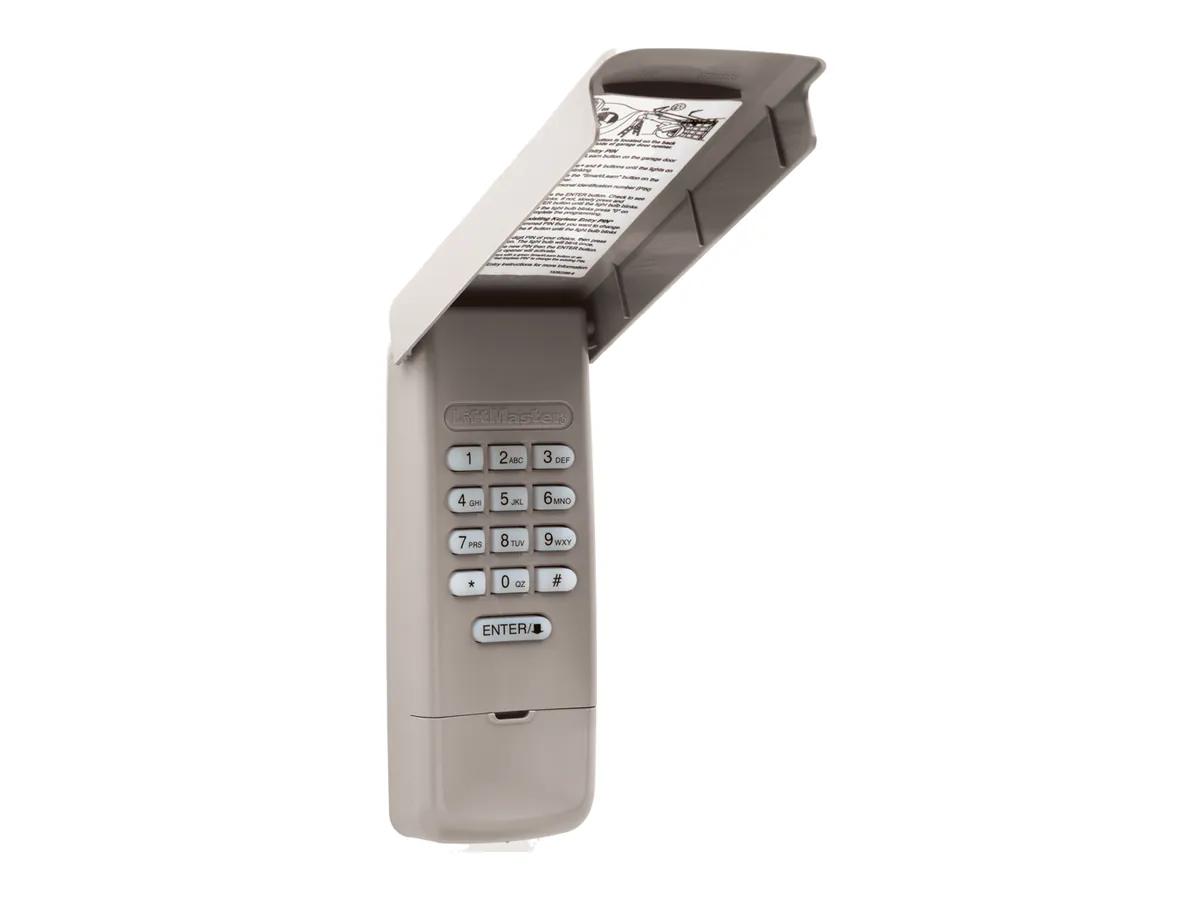
Mount it at least 5 feet up, in sight of the door, away from moving parts. Start with the door closed and a working opener light, because the light is how it tells you programming worked.
Erasing old remotes
Moved into a house and do not know who has a clicker. Wipe them. Hold the learn button until the LED goes out, about 6 seconds, then hold it again straight away until the LED goes out a second time. Every remote and keypad code is erased. Reprogram the ones you keep. The manual gives the same fix for a neighbour's remote that opens your door.
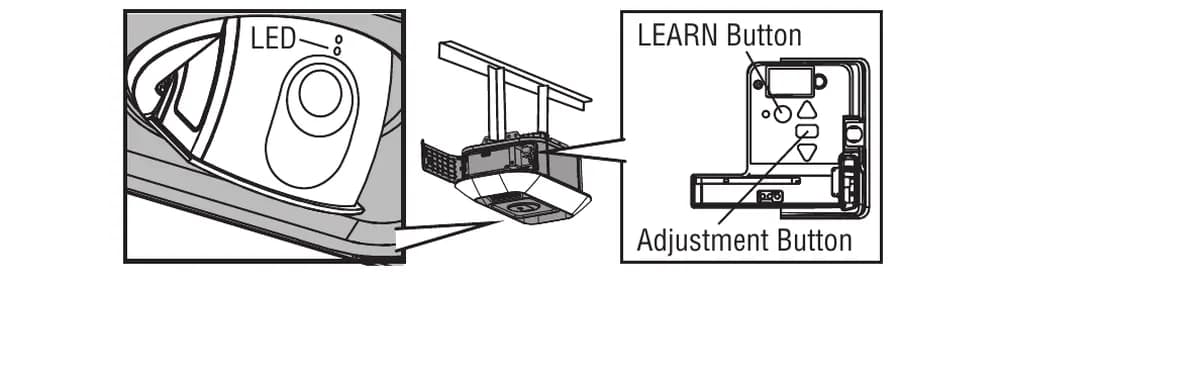
Do not hold the black adjustment button by mistake. On the 87504-267 that one resets the camera, and on others it starts the travel setup.
Which remotes match which opener
The 893MAX three button remote ships with the 98032, 98022, 87504-267 and 87802. LiftMaster lists it as compatible with every opener the company has made since January 1993. The 890MAX is the keychain version. The 893LM only works with Security+ 2.0, the yellow button. The 374UT and 380UT universal remotes work across most major brands and can run two products. Up to 2 Smart Control Panels or 4 other Security+ 2.0 wall controls can connect to one opener.
Our advice is simple. Buy the MAX remote unless you know you have a yellow button and always will.
Short remote range has a few causes. The manual blames metal doors and foil backed insulation, along with metal siding, and suggests moving the remote in the car. Learn button colours across other brands are on our learn button colour page, and LiftMaster remotes are in the LiftMaster catalogue. Call (778) 873-7282 24/7, free on-site assessment, Richmond shop at 12180 Horseshoe Way, Unit 3. A surcharge may apply depending on the area, quoted first.